

When a member logs into your store, they will automatically have access to any protected content, products, and shipping options you’ve added to their plan.
When you’d use this
- Let members manage their own membership without contacting you.
- Reduce support requests for cancellations and updates.
- Show members the perks they have access to.
Enable the member portal
The Zendra set up wizard will help you enable the member portal. To ensure members can view perks or manage subscriptions, you must add the “Member portal” customer account block. (Unfortunately Shopify won’t allow apps to do this for you, it must be added manually — or we would do it in a heartbeat!)
If you ever need to enable this again or you accidentally dismiss the onboarding, no worries! You can get back to this area by viewing your Shopify customer account settings:
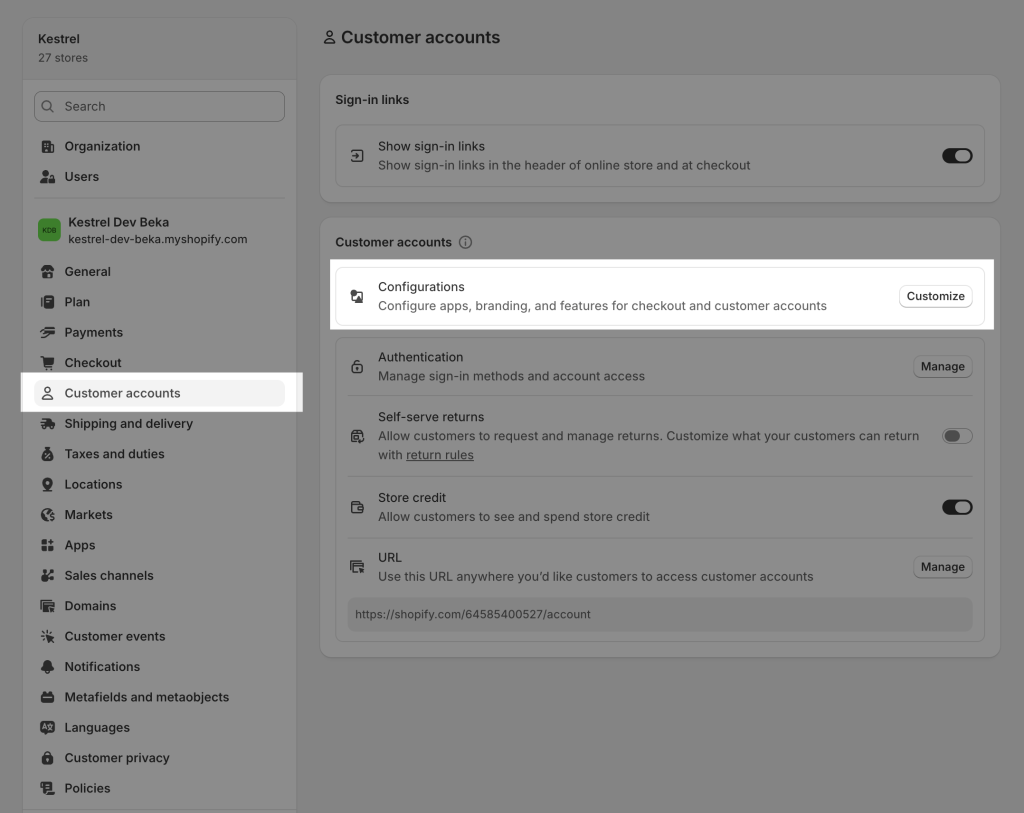
Customize your checkout & account configurations, and click “Customize” again on whichever one is currently active.
You can change the page you’re previewing to the Member portal, and use the “Apps” area at the top left to add the Zendra block.
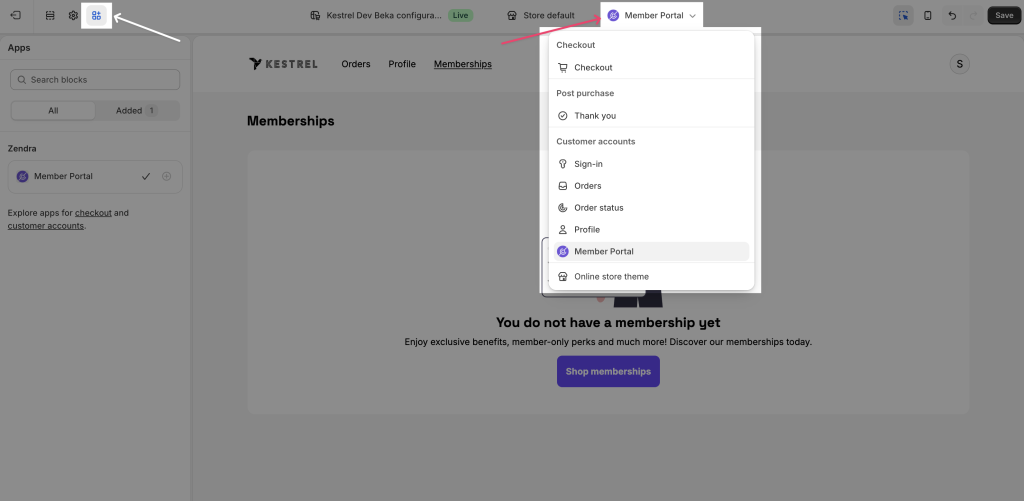
You won’t see memberships in this list, because Zendra has no way to know it’s in a “preview” context, so you see the “empty” state. Your members will see their membership cards when logged in, if they have active memberships.
Member views
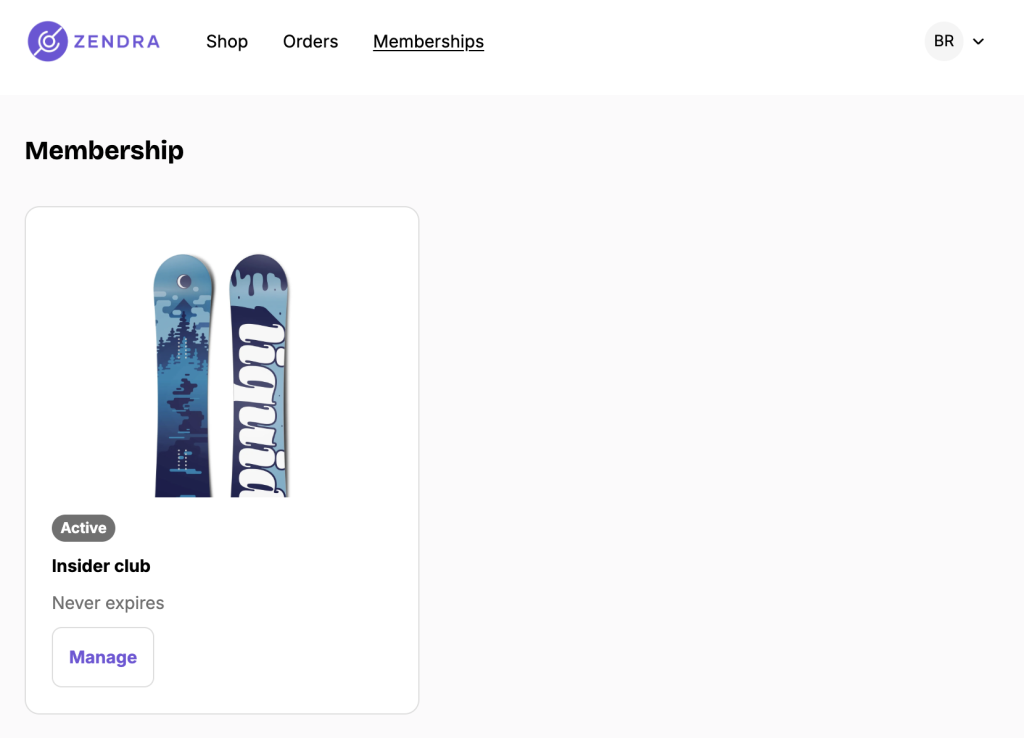
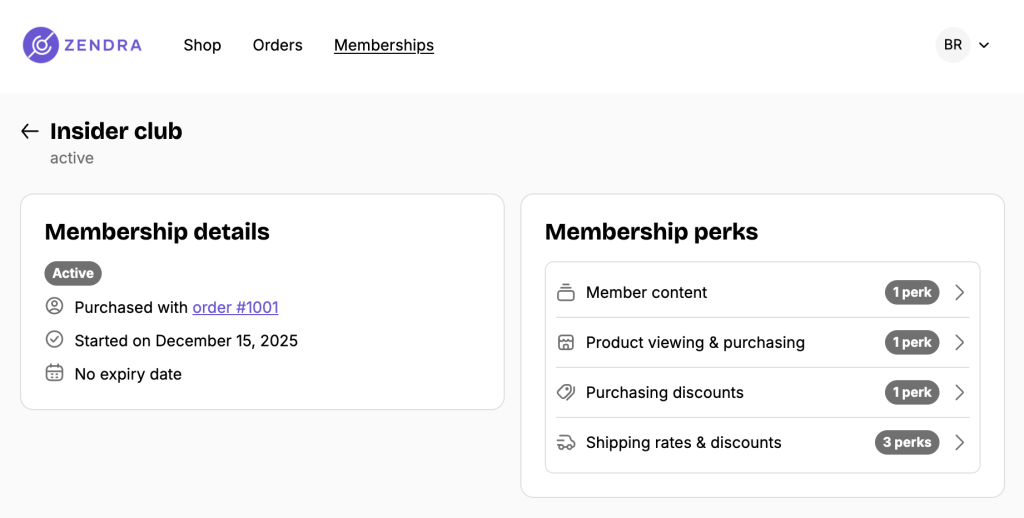
Members manage their memberships from the customer account area. From the membership list, click Manage on a membership card to open its details.
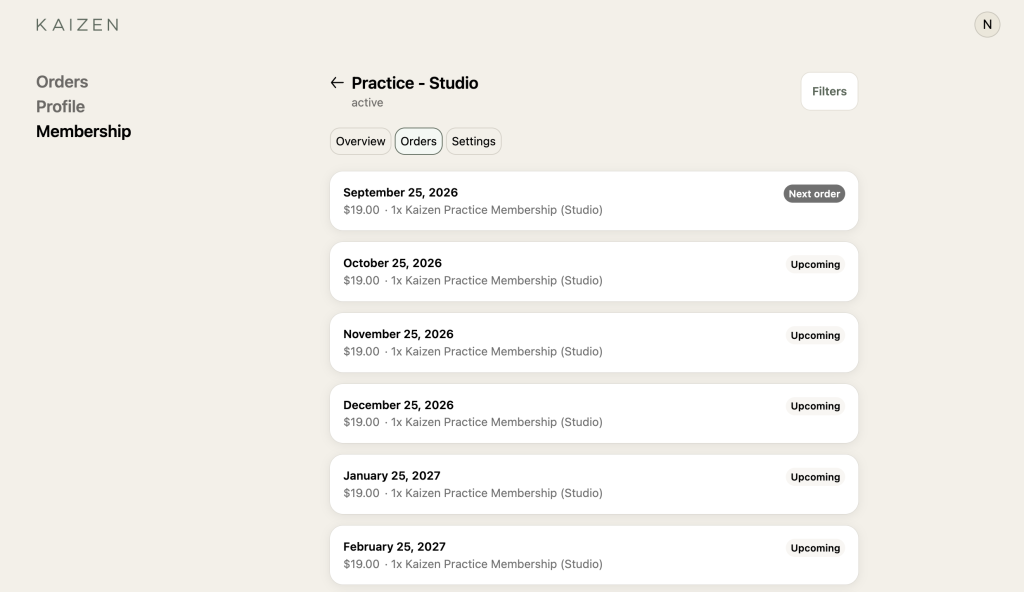
Inside a membership, the Overview tab shows its status, billing details, next order, and available perks. To review the full order schedule, open Orders. Click Filters to switch between upcoming and past order cards.
On the Growth plan and higher, your portal showcases all perks assigned to the member and teases delayed perks that are coming later (for example, a scheduled member discount or sale). In Membership perks, click Filters. Under Access type, choose All, Immediate access, or Delayed access, then click Apply.
Integration perks in the portal
If a plan includes integration perks like Discord access, members will see those in their perks list too. For Discord, the portal shows the server name, icon, and member count, with a button to connect their Discord account or open the server if already connected.
Managing subscriptions
For memberships with recurring billing, members can take a few actions directly from the portal:
- View upcoming and past orders for their subscription
- Update their payment method — if a card expires or they want to switch to a different one, members can update their payment details without needing to contact you. The portal will show their current payment method (e.g., “Visa ending in 4242”) so they know what’s on file.
- Cancel their membership (subject to any minimum order requirements you’ve configured on the billing plan). When a member cancels, they keep access through the end of their current paid period, but all associated perks are revoked at that point — discounts, content access, product gating, and shipping benefits are all removed.
Payment method updates happen through Shopify’s secure payment flow, so card details are never handled by Zendra directly.
Common issues
- The portal isn’t appearing. Enable the customer account portal extension in your theme.
- A member can’t cancel. Confirm the membership should be cancelled — one-time purchase and manually granted memberships get no cancel button, and only end if you have an end date set.